
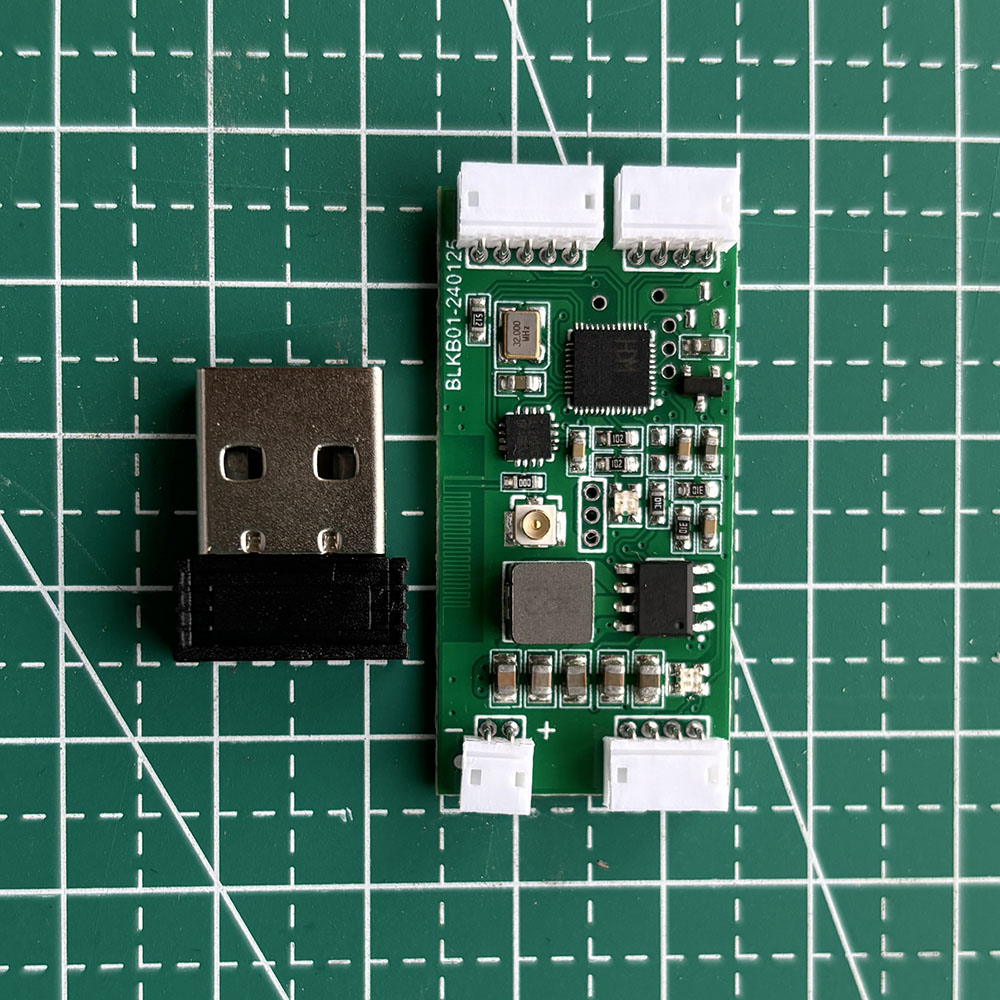
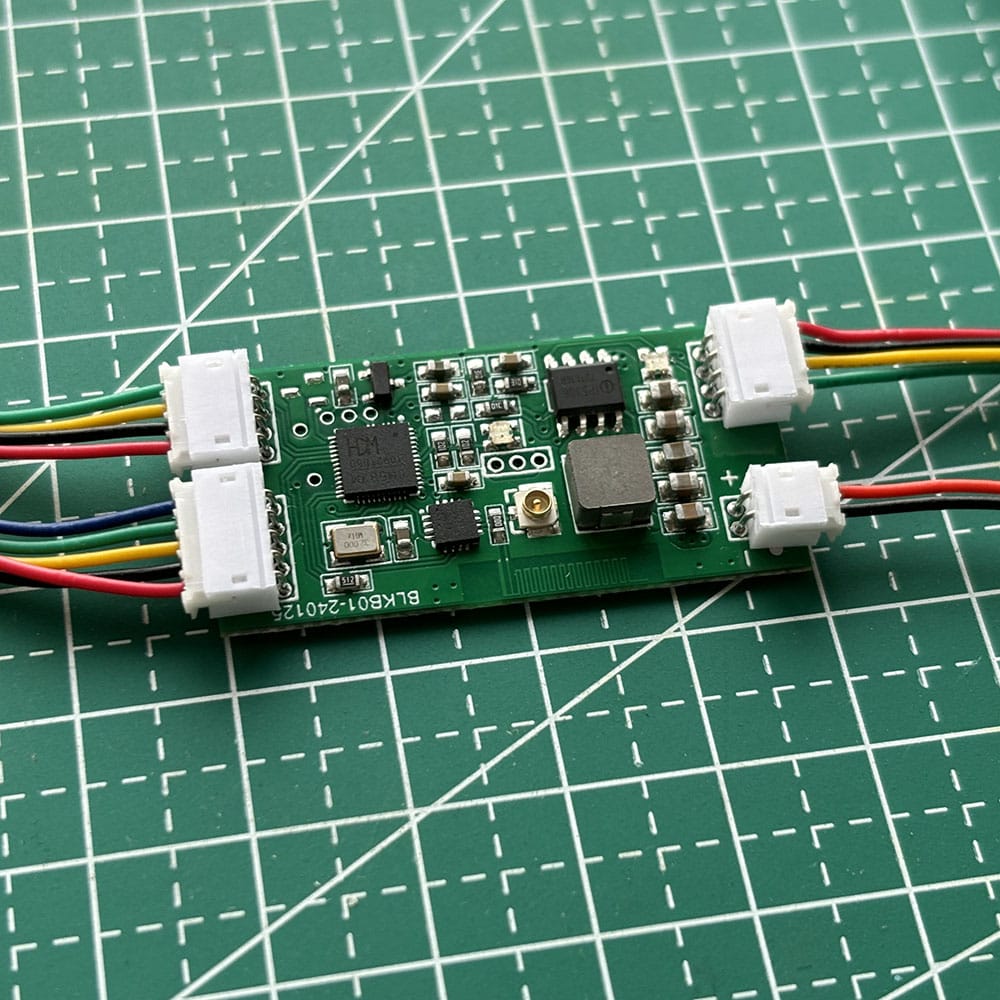

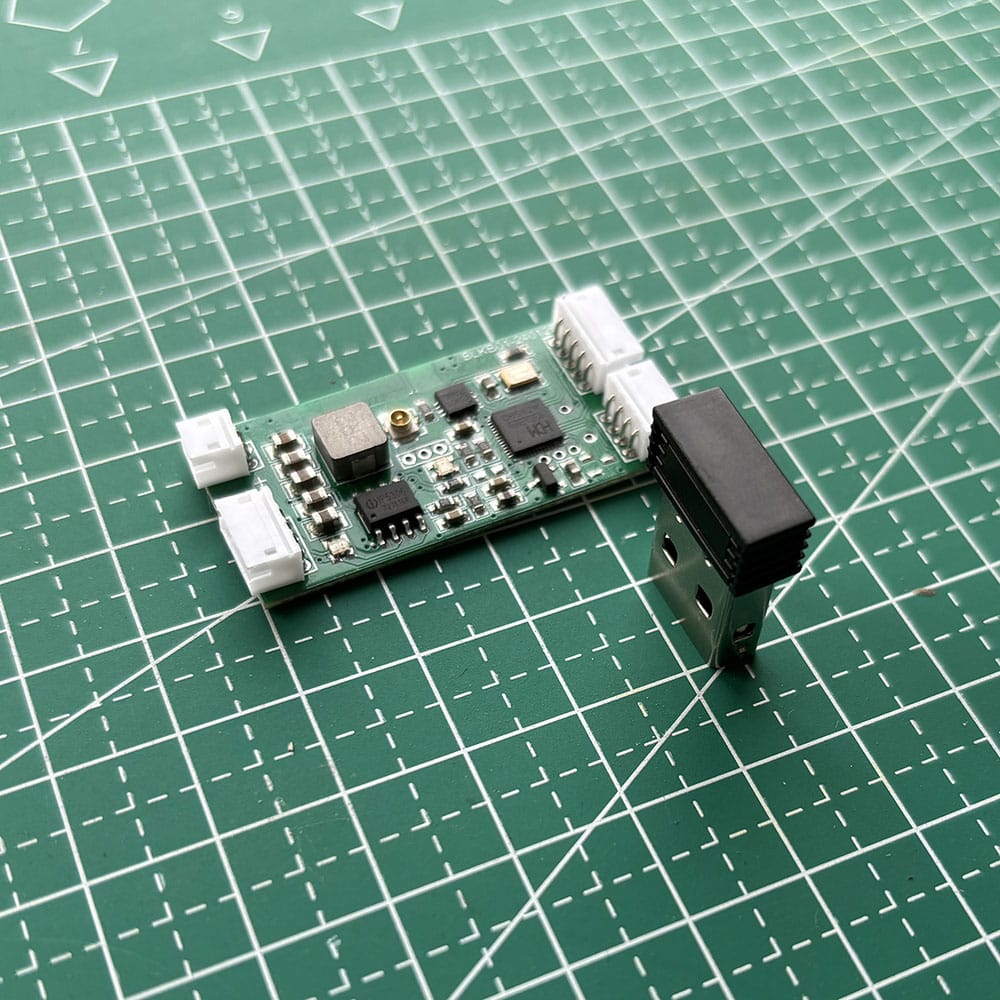
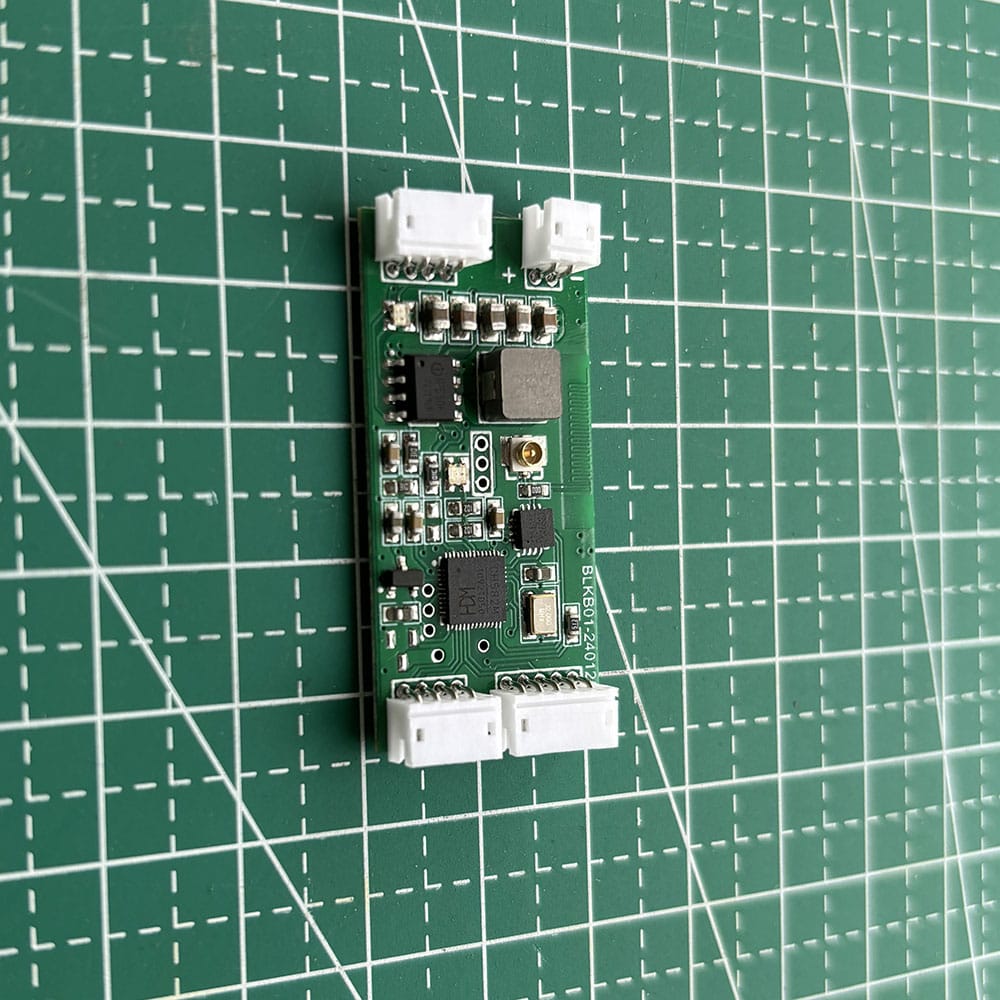
The module’s PCB measures 20 x 40 mm and is 5 mm thick.
Short answer: WBT-V3 is a DIY internal module for converting one wired USB keyboard to wireless. It supports Bluetooth, matching WSCOME 2.4G receiver mode, and wired mode, but it is not a finished plug-and-play keyboard.
Use WBT-V3 when your wired keyboard still works and you want to keep that keyboard while adding wireless connection options. If you want one keyboard and one mouse together across multiple computers without opening the keyboard, use WBT2-V4 Keyboard and Mouse Switch instead.
What WBT-V3 is for
WBT-V3 is mainly for DIY wired keyboard to wireless conversion. It is built for modders, makers, and keyboard users who want to keep a favorite wired keyboard and add Bluetooth or 2.4G wireless receiver mode through their own installation work.
This is not a finished external adapter. You open the keyboard, prepare the battery, connect the wiring, and complete the mounting yourself. That is why WBT-V3 fits DIY projects much better than buyers who want a ready-to-use office switch.
What this product can and cannot do
What WBT-V3 can do
- Convert one wired USB keyboard to wireless
- Support Bluetooth mode, matching WSCOME 2.4G receiver mode, and wired mode
- Work in custom keyboard projects and many standard USB-HID keyboard builds
- Be used in some single-device wired mouse to wireless DIY projects
- Switch one converted device across multiple paired targets in supported setups
What WBT-V3 does not do
- It is not a ready-made plug-and-play wireless keyboard
- It does not connect one keyboard and one mouse together at the same time
- It is not the right product for buyers who want an external no-modification switch
- It is not a full video KVM or monitor-switching product
Who should choose WBT-V3
WBT-V3 is best for users who are comfortable with keyboard DIY work. If you are willing to open the case, fit a battery, handle wiring, and test the build, WBT-V3 gives you a way to keep your existing keyboard instead of replacing it with a new wireless keyboard.
If you want a cleaner external desk solution instead of internal modification, choose WBT2-V4. WBT2-V4 is for one keyboard and one mouse across multiple computers, while WBT-V3 is for converting one wired device into a wireless one.
Main connection modes
Bluetooth mode
Yes, WBT-V3 can convert a wired keyboard to Bluetooth. After the module is installed correctly, the converted keyboard can pair by Bluetooth with supported target devices.
2.4G receiver mode
WBT-V3 also supports matching WSCOME 2.4G receiver mode. This is useful when you prefer receiver-based connection instead of Bluetooth, or when your workflow benefits from switching between paired targets through matching receivers.
Wired mode
Wired mode is also supported, but the exact final experience depends on the finished build. Because WBT-V3 is a DIY module, the result can vary with the keyboard, internal layout, battery plan, and installation quality.
Important device limit
WBT-V3 has only one USB input. That means it supports one keyboard or one mouse at a time, not both together.
This is why WBT-V3 should not be described as a standard dual-device keyboard and mouse switch. If you want keyboard and mouse together without DIY modification, use WBT2-V4.
Battery and installation notes
WBT-V3 is designed for lithium battery power. A 2000mAh or larger battery is a practical starting point for many builds, but actual runtime depends on the keyboard, RGB usage, power draw, battery quality, and how the module is installed.
DIY installation means the user handles battery placement, wiring, and mounting. Some builds may need thicker wire for higher current demands. If you want battery detail first, see the WBT-V3 lithium battery guide.
Compatibility notes
WBT-V3 works with many standard USB-HID keyboards, including many mechanical keyboards, but compatibility cannot be guaranteed for every model. Some devices use unusual power behavior, proprietary protocols, or custom functions that may need extra testing.
If you are unsure about a specific keyboard, ask before ordering. Cherry G80-3000 may need special firmware, and some custom or non-standard boards may need extra care.
What is included
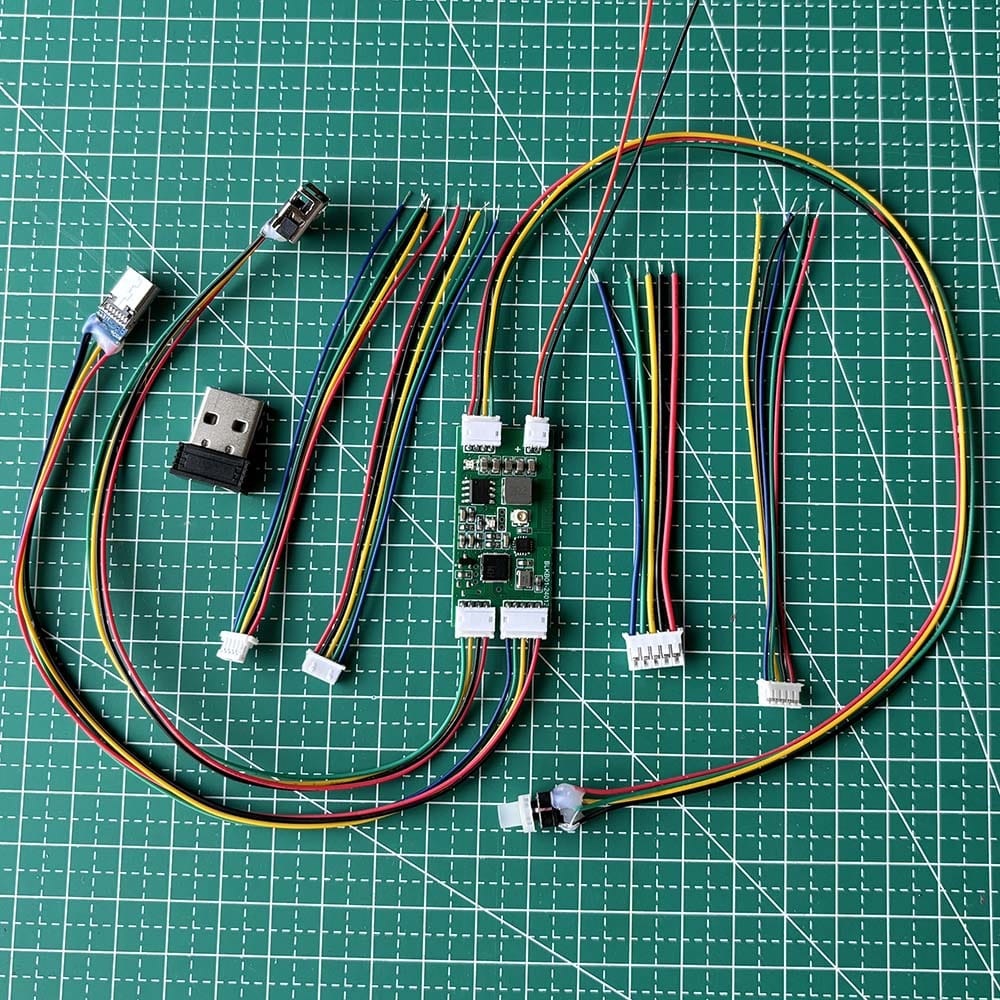
- 1 x WBT-V3 module
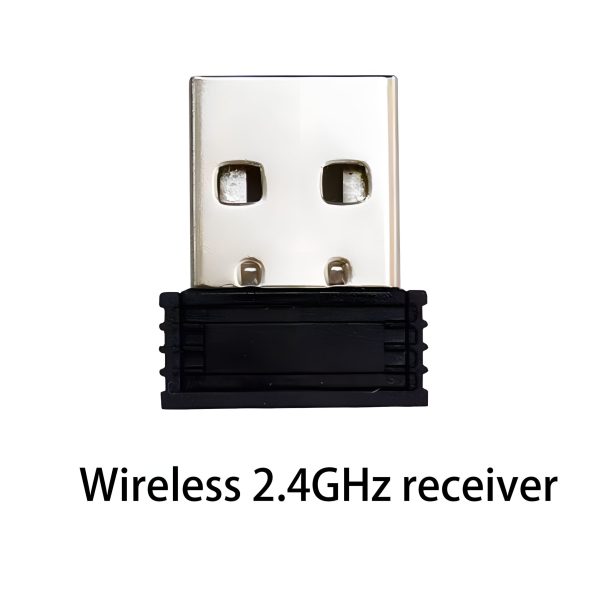
- 1 x matching 2.4GHz receiver
- matching wiring accessories
- 5 common keyboard motherboard connector types
If you need more receiver-mode targets, additional matching receivers can be purchased separately.
Related WSCOME guides
- How to make a wired keyboard wireless
- How to convert a wired keyboard to wireless
- WBT-V3 lithium battery guide
- WBT-V3 vs WBT2-V4
Need keyboard and mouse together?
If you want one keyboard and one mouse together across multiple computers, less DIY work, and no internal keyboard modification, please consider WBT2-V4 instead:
FAQ
Can WBT-V3 convert a wired keyboard to Bluetooth?
Yes. WBT-V3 can be used to convert a wired USB keyboard to Bluetooth after the module is installed correctly. It is still a DIY internal build, not a ready-made wireless keyboard.
Is WBT-V3 plug and play?
No. WBT-V3 is a DIY conversion module. You need to handle battery preparation, wiring, installation, and mounting yourself.
Can WBT-V3 convert both keyboard and mouse?
It can be used in a keyboard project or in some mouse projects, but the module has only one USB input. That means one keyboard or one mouse at a time, not both together on the same module.
Does WBT-V3 need a battery?
Yes. WBT-V3 is designed for lithium battery use in normal wireless conversion builds. A 2000mAh or larger battery is a common starting point for many projects.
Can I keep using my keyboard by USB after WBT-V3 conversion?
Wired mode is supported, but the final wired behavior depends on the completed build and the keyboard you are modifying. Because WBT-V3 is a DIY module, the exact result can vary by installation.
Can WBT-V3 work with a mechanical keyboard?
Often yes for many standard USB-HID mechanical keyboards, but not every mechanical keyboard behaves the same way. Power draw, RGB lighting, internal space, and proprietary functions can affect the build.
Does WBT-V3 support Bluetooth and 2.4G receiver mode?
Yes. WBT-V3 supports Bluetooth mode, matching WSCOME 2.4G receiver mode, and wired mode.
Is WBT-V3 a standard keyboard and mouse switch?
No. WBT-V3 is a single-device DIY conversion module. If you want one keyboard and one mouse together across multiple computers, WBT2-V4 is the better fit.
Does WBT-V3 require software or the same LAN?
No. WBT-V3 does not rely on keyboard-sharing software or same-LAN workflows. It is a hardware conversion path, not a network-based sharing tool.
What is included in the package?
The package includes 1 WBT-V3 module, 1 matching 2.4GHz receiver, matching wiring accessories, and 5 common keyboard motherboard connector types.
15 reviews for WBT-V3 Wired Keyboard to Wireless Conversion Module
Only logged in customers who have purchased this product may leave a review.
Brad K. (verified owner) –
Bought the V3 to convert my WASD keyboard to wireless. The module is well made – clean PCB, good soldering, proper power management. You need to provide your own battery (2000mAh+, lithium) and do the wiring yourself. The included connector adapters cover most common keyboard PCB types. Took me about an hour to install. The 2.4G receiver mode is blazing fast for switching between computers. Only gave 4 stars because the documentation could use work – had to watch a YouTube video. But figuring things out is half the fun.
jesse_hq (verified owner) –
Bought this V3 module specifically because I wanted the satisfaction of doing the conversion myself rather than just buying a wireless keyboard. Installed it in my mechanical keyboard – the process was really educational. The module comes with 5 different connector types which covered my keyboard’s PCB perfectly. Now I have a wireless mechanical keyboard that I modded myself. Works great with both my laptop (BT) and desktop (2.4G). Highly recommend for anyone who wants a weekend project that actually results in something useful.
Vince F. (verified owner) –
This module is peak DIY engineering. Converted two keyboards now – one for me, one for a friend. The installation requires soldering a battery and connecting to the keyboard’s USB data lines. If you’ve done any electronics work, you have all the skills needed. The module supports up to 8 paired devices across BT and 2.4G modes. For $24 you get a really capable wireless conversion platform. Much more satisfying than buying a pre-made wireless keyboard.
Ricky H. (verified owner) –
Software guy who was intimidated by hardware mods. This was my first electronics project and it went surprisingly well. The module is well documented (check their YouTube channel) and the connector kit handles most keyboard PCBs. I converted my mechanical keyboard in about an hour. Now I can use it wirelessly with my desktop (2.4G) and iPad (Bluetooth). Battery life is great – about 10 days with 2500mAh. If you want to get more hands-on with hardware, this is a perfect entry project.
Wayne (verified owner) –
Good little module for DIY wireless conversion. Used it to convert a mechanical keyboard to wireless for my home office. Installation took about 45 minutes – mostly figuring out where to fit the battery inside the case. The included connector kit is really helpful. The 2.4G mode is lag-free which is important for gaming. Bluetooth to my tablet works fine. Only negative is the power switch is tiny and hard to reach once inside the case. Solid product for the DIY crowd.
onemouse (verified owner) –
Solid DIY module. Converted my Cherry MX Board 3.0 to wireless. The installation is straightforward with basic soldering skills. The module itself is well-built and hasn’t given me any issues in 2 months. Battery life depends on your battery choice and keyboard power draw – my 2000mAh lasts about a week with a non-RGB keyboard. The 2.4G connection is rock solid. One complaint: wish the module had mounting holes. Had to use double-sided tape which feels a bit janky. But for the price, fantastic value.
chris_geek (verified owner) –
This is a proper DIY module – not a plug and play solution, and that’s exactly what I wanted. Converting keyboards to wireless is a really satisfying project. The module supports triple mode (BT/2.4G/wired) and the switching is seamless. I installed a 3500mAh battery which gives almost 3 weeks of runtime with my low-power keyboard. The 2.4G latency is non-existent – I use this for competitive gaming no problem. If you’re the hands-on type, great buy.
Jason (verified owner) –
Good module for what it is. Converted my HyperX keyboard to wireless. The process is fairly involved – you need to open the keyboard, find space for the module and battery, solder connections, and modify the case for the power switch. Took about 2 hours. The result is a fully wireless mechanical keyboard that switches between my PC and laptop. 2.4G mode is flawless, Bluetooth occasionally needs re-pairing after sleep. If you’re patient and handy, a great DIY project.
Tyler Sharp (verified owner) –
I really appreciate the engineering behind this module. The TI CC2540 is a proven low-power BLE SoC and the implementation here is clean. Converted my custom-built 65% keyboard to wireless with this. The battery management circuit properly handles charging and the auto-shutdown feature saves power. Getting about 2 weeks on a 3000mAh battery. The ability to switch between 8 paired devices is incredible. If you know how to solder and enjoy DIY, this is fantastic value.
Travis Price (verified owner) –
Got this V3 module to convert my Leopold FC660C (Topre switches) to wireless. The installation requires some disassembly and soldering but if you’ve ever built a custom keyboard, this is straightforward. The module is compact enough to fit inside the case with a flat LiPo battery. The 2.4G connection is indistinguishable from wired – I can’t detect any latency. Bluetooth mode switches between my desktop and tablet seamlessly. Incredible value for a maker.
keycapaddict (verified owner) –
Converted my IBM Model M to wireless using this V3 module. Yes, the legendary buckling spring keyboard that weighs like 5 pounds. The module handles its power draw fine with a 4000mAh battery I installed. The process involved opening the keyboard case, soldering the module to the internal USB controller, and routing the antenna. Took a Saturday afternoon but the result is magnificent – a wireless Model M that switches between my desktop and laptop. The 2.4G connection has zero input lag. Most fun $24 you’ll spend on hardware.
Eric (verified owner) –
This is exactly the kind of product I love – a bare module that lets you do the integration yourself. Installed it inside my Ducky One 2 Mini case and it fits perfectly. Had to 3D print a small bracket to hold the battery but that was a fun afternoon project. Now I have a fully wireless mechanical keyboard that I converted myself. The Bluetooth connection is stable and the 2.4G mode has no latency. Triple-mode support (BT, 2.4G, wired) is really versatile.
Nate Young (verified owner) –
Basic understanding of electronics here. Managed to install this V3 module in my Cooler Master keyboard with some help from YouTube tutorials. The included connector adapters saved me – my keyboard used a non-standard internal connector and the kit had one that fit. The 2.4G performance is excellent – I play FPS games with it and notice zero lag. Bluetooth works stable. Only reason for 4 stars: the battery leads are thin, recommend soldering thicker wires for keyboards drawing more than 1A. Otherwise great product.
ryan_geek (verified owner) –
Bought this WBT-V3 to mod my old IBM Model M into wireless. The DIY nature of this module is perfect for people who enjoy tinkering. You need to source your own battery (I used a 3000mAh LiPo) and do some soldering, but the included connector kit covers most common keyboard PCB types. Flashed the firmware, wired it up, mounted it inside the case, and now my vintage clacky keyboard connects via Bluetooth. Awesome project for anyone who likes building things.
Evan Long (verified owner) –
If you like to do things yourself, this V3 module is way better than buying a pre-made wireless keyboard. Converted my trusty Filco Majestouch to wireless and it’s been rock solid. The module supports Bluetooth, 2.4G, and wired modes so I can use it with my iPad (BT), desktop (2.4G), or plug in directly if the battery dies. Installed a 2500mAh battery and it lasts about 2 weeks. The satisfaction of using a keyboard you modded yourself is hard to beat.