
Choose the Right Wireless Solution
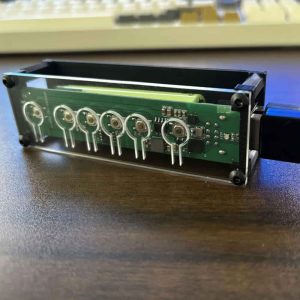
WSCOME helps you use one keyboard and mouse across multiple computers without installing software, sharing a LAN, or switching monitors. Choose WBT2-V4 for a ready-to-use keyboard and mouse switch, or choose WBT-V3 if you want to install a wireless module inside your keyboard.
- WBT2-V4
- Plug-and-Play External Solution
- Best for users who want to convert wired keyboards and mice to wireless, or share one keyboard and mouse across multiple computers without monitor switching.
- ✓ Convert wired keyboard and mouse to wireless
- ✓ Works as a USB keyboard and mouse switcher
- ✓ Supports wired and wireless keyboards and mice
- ✓ No HDMI or DisplayPort switching
- ✓ No software or LAN setup required
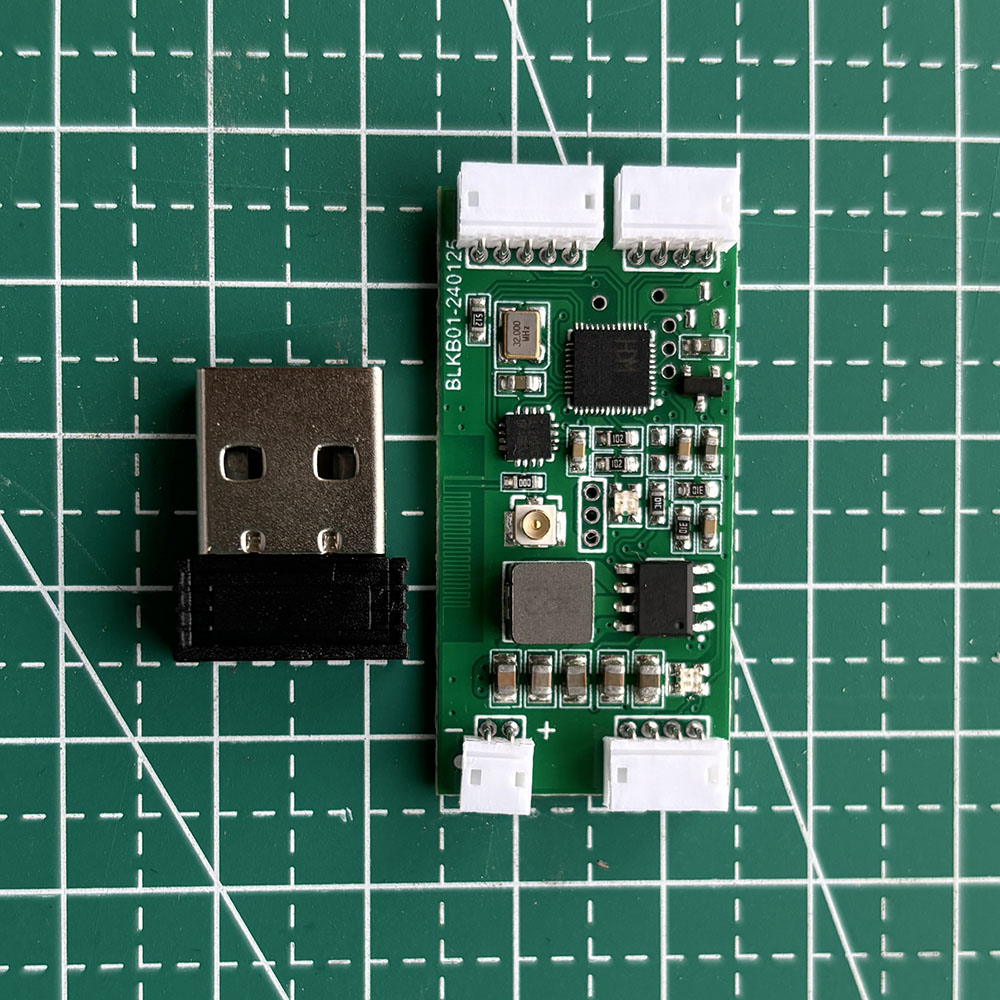
- WBT-V3
- Built-in DIY Internal Module
- Best for keyboard DIY users who want to install a wireless module inside a wired USB keyboard.
- ✓ Install inside a wired keyboard
- ✓ Compact bare PCB design
- ✓ Bluetooth / 2.4GHz / wired mode
- ✓ Best for keyboard modders and DIY users
- ✓ Suitable for internal keyboard modification
Do I need a special charger or charge and discharge management module?
For WSCOME WBT modules, you do not need a separate charge and discharge management module. The charge and discharge management chip is already built into the module. You still need to choose a suitable lithium battery and install it correctly.
{"@context":"https://schema.org","mainEntity":[{"acceptedAnswer":{"text":"For WSCOME WBT modules, you do not need a separate charge and discharge management module. The charge and discharge management chip is already built into the module. You still need to choose a suitable lithium battery and install it correctly.","@type":"Answer"},"name":"Do I need a special charger or charge and discharge management module?","@type":"Question"}],"@type":"FAQPage"}My keyboard has a touchpad, does it support the touchpad?
Perfectly supports any touchpad using standard USB-HID protocol key codes
{"@context":"https://schema.org","mainEntity":[{"acceptedAnswer":{"text":"WSCOME WBT-V3 and WBT2-V4 support touchpads that use standard USB-HID protocol key codes. A proprietary non-standard touchpad may need testing before we can guarantee compatibility.","@type":"Answer"},"name":"My keyboard has a touchpad, does it support the touchpad?","@type":"Question"}],"@type":"FAQPage"}Whether to support multimedia keys
Supports standard multimedia keys and all standard key codes using the USB-HID protocol
{"@context":"https://schema.org","mainEntity":[{"acceptedAnswer":{"text":"WBT-V3 and WBT2-V4 support standard multimedia keys and all standard key codes that use the USB-HID protocol. Non-standard proprietary keyboard functions may vary by keyboard model.","@type":"Answer"},"name":"Do WSCOME WBT modules support multimedia keys?","@type":"Question"}],"@type":"FAQPage"}WBT-V3 vs WBT2-V4: Which One Should You Choose?
Short answer: choose WBT-V3 if you want to convert one wired USB keyboard into a wireless keyboard. Choose WBT2-V4 if you want one keyboard and mouse to control multiple computers without software or a shared LAN.
| Model | Best for | Keyboard / mouse input | Computer connection | Power |
|---|---|---|---|---|
| WBT-V3 | DIY wired keyboard to wireless conversion | One keyboard interface | Bluetooth, WSCOME 2.4GHz receiver, or wired mode | Requires a matched 3.7V lithium battery |
| WBT2-V4 | One keyboard and mouse for multiple computers | Keyboard and mouse together | Bluetooth or WSCOME 2.4GHz receiver | Built-in 18650 lithium battery |
When WBT-V3 Is the Better Choice
WBT-V3 is the right product when the keyboard itself is the project. It is a compact DIY module for turning a wired USB keyboard into a wireless keyboard. It is useful when you like a specific wired keyboard and want to keep using that keyboard without a USB cable.
WBT-V3 supports wired mode, Bluetooth adapter mode, and WSCOME 2.4GHz receiver mode. Because it is an internal conversion module, it needs a suitable 3.7V lithium battery and enough space inside the keyboard shell.
When WBT2-V4 Is the Better Choice
WBT2-V4 is the better choice when your main goal is switching between computers. It connects a keyboard and mouse at the same time and lets one set of keyboard and mouse work with up to 8 computers. It does not require software installation, and the computers do not need to be on the same LAN.
WBT2-V4 supports Bluetooth and WSCOME 2.4GHz receiver connections. It has physical switching buttons and is designed as an external hardware workflow, so it is usually easier than modifying a keyboard internally.
What They Have in Common
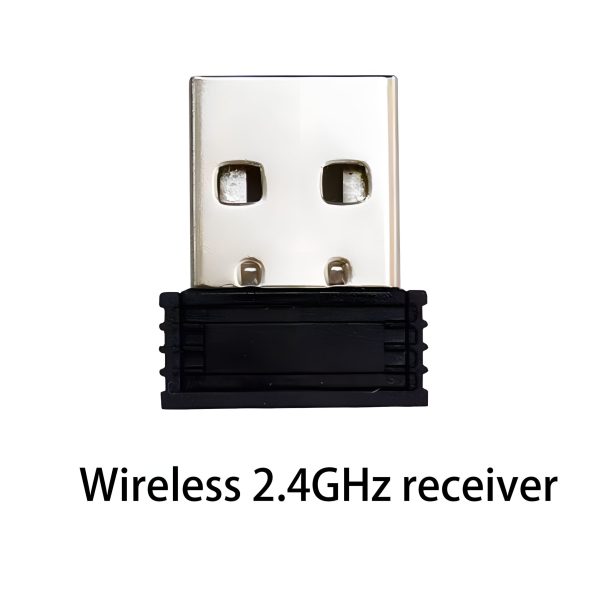
- Both can work with WSCOME 2.4GHz receivers.
- Both support switching among up to 8 matched devices in the WSCOME workflow.
- Both are hardware-based options, so they do not depend on keyboard-sharing software.
Simple Buying Rule
If you are asking, ??ow do I make this wired keyboard wireless??? start with WBT-V3. If you are asking, ??ow do I use one keyboard and mouse with several computers??? start with WBT2-V4.
Related Products
- WBT-V3 Wired Keyboard to Wireless Conversion Module
- WBT2-V4 Keyboard and Mouse Switch for Up to 8 Computers
I want to install the module inside the keyboard, which module should I choose
Please choose WBT-V3, which is specially designed for built-in keyboard
{"@context":"https://schema.org","mainEntity":[{"acceptedAnswer":{"text":"Choose WBT-V3 if you want to install the module inside a keyboard. WBT-V3 is designed for internal wired keyboard conversion. Choose WBT2-V4 instead if you want an external keyboard and mouse switch without modifying the keyboard.","@type":"Answer"},"name":"I want to install the module inside the keyboard, which module should I choose?","@type":"Question"}],"@type":"FAQPage"}What should I do if I don’t want to remove the original keyboard data cable?
Please use the WBT2-V4 module, plug the USB data cable of the keyboard into the USB interface, and you can add a Bluetooth adapter and a wireless adapter to the keyboard
{"@context":"https://schema.org","mainEntity":[{"acceptedAnswer":{"text":"Use WBT2-V4 if you do not want to remove the original keyboard data cable. Plug the keyboard USB cable into the WBT2-V4 USB port, then use Bluetooth or a 2.4GHz receiver to connect it to your computers.","@type":"Answer"},"name":"What should I do if I do not want to remove the original keyboard data cable?","@type":"Question"}],"@type":"FAQPage"}