
Introduction
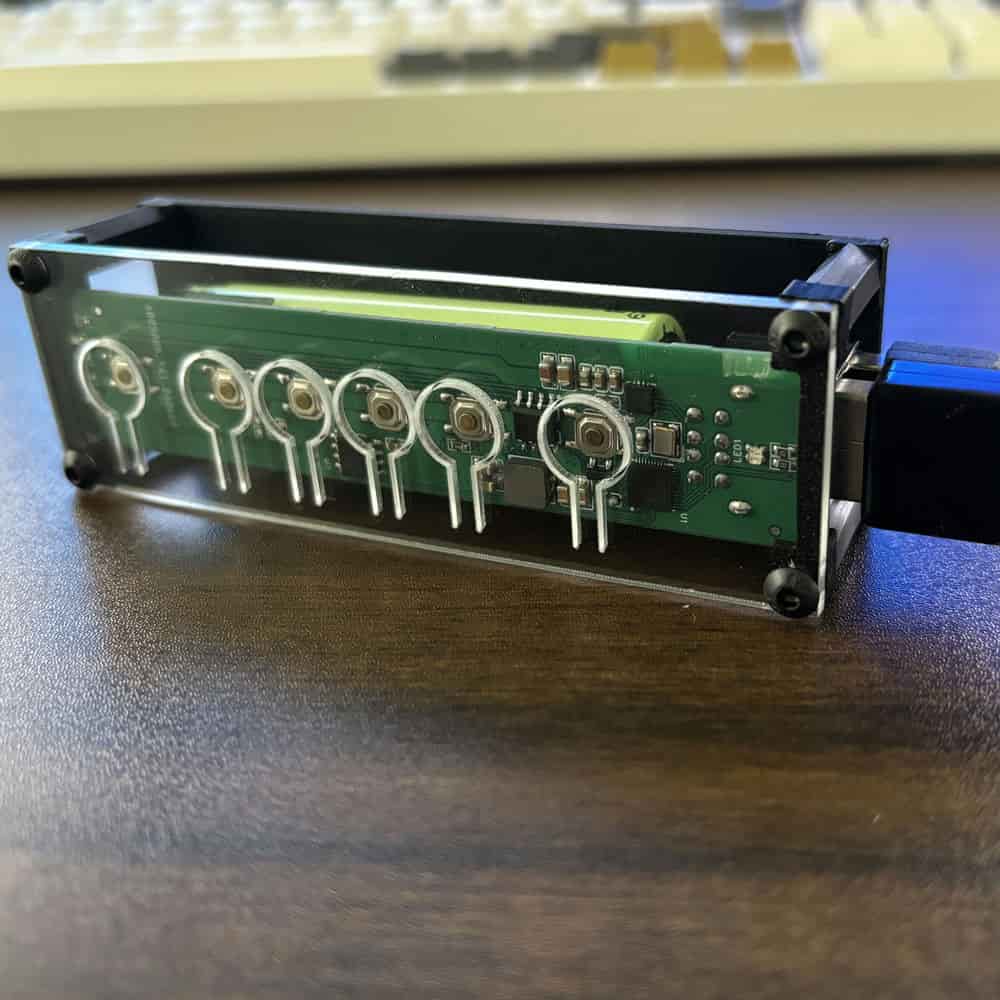
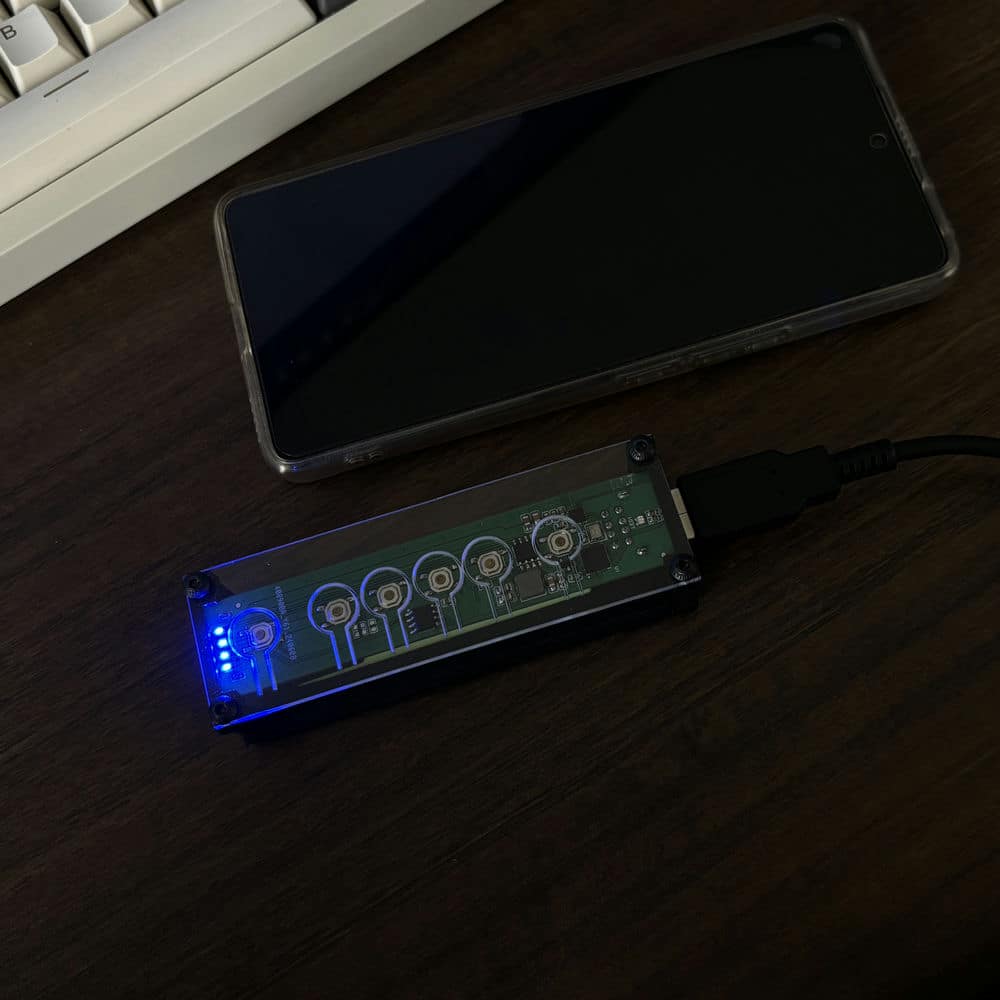
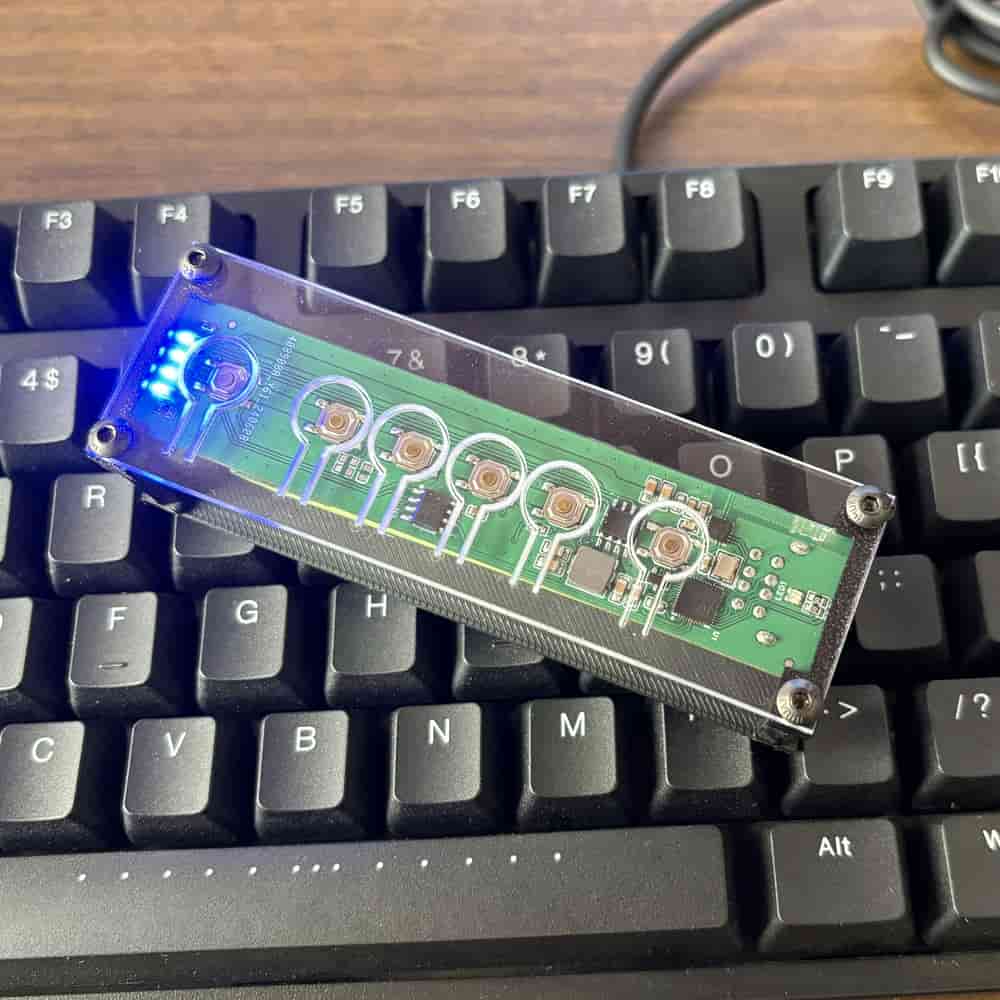
The WBT2-V4 serves two primary functions: first, it converts wired keyboards and mice into wireless peripherals; and second, it acts as a plug-and-play keyboard and mouse switcher that supports wireless devices. Boasting strong anti-interference capabilities, it is specifically designed for users who wish to share a single set of keyboard and mouse across multiple computers—requiring no software installation, operating independently of a local area network (LAN) environment, and effectively eliminating the cable clutter often associated with traditional switching solutions.
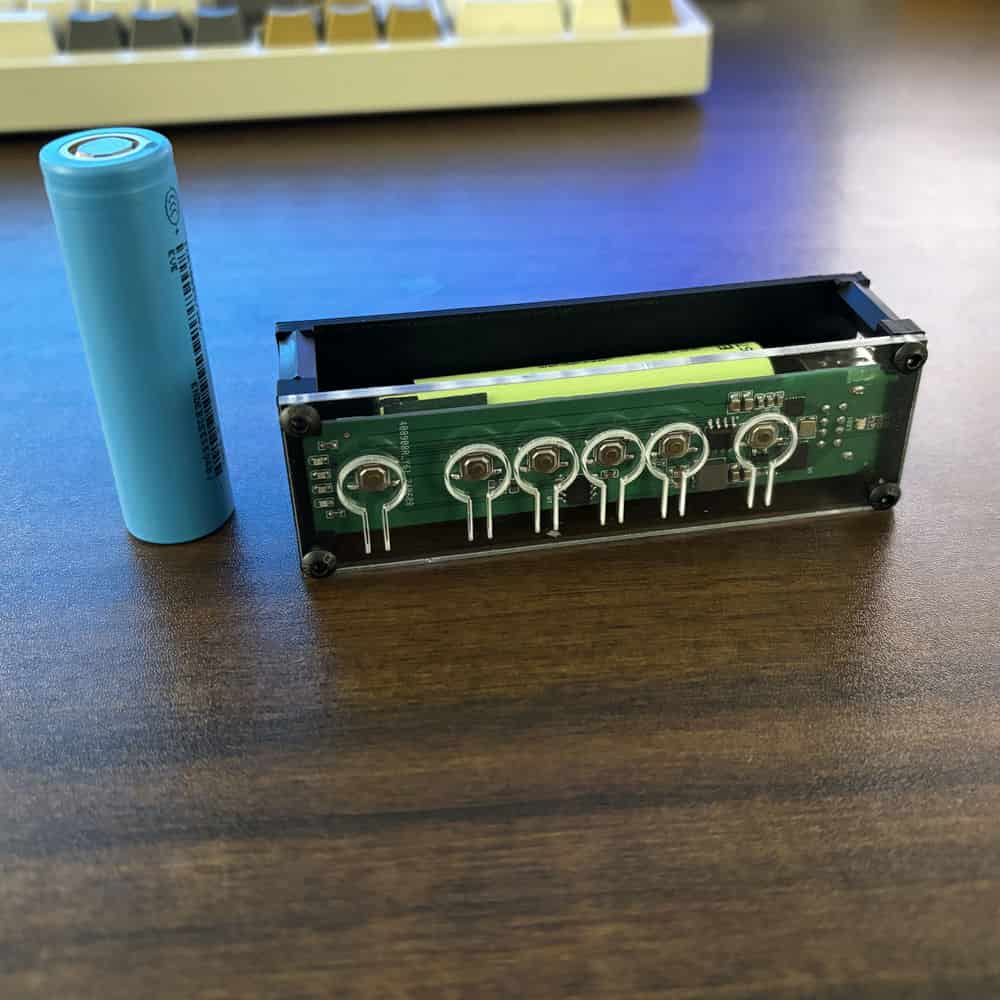
Unlike DIY conversion modules, WBT2-V4 is a finished product with a built-in battery. You do not need to open your keyboard, modify internal wiring, or prepare extra power components. Just connect your keyboard and mouse to the module and start switching between computers.
Key Benefits
1. Ready to use, no modification needed
WBT2-V4 is built for users who want a simple keyboard and mouse switching solution. No disassembly, no soldering, no internal installation, and no extra charging hardware required.
2. Dual USB inputs for keyboard and mouse
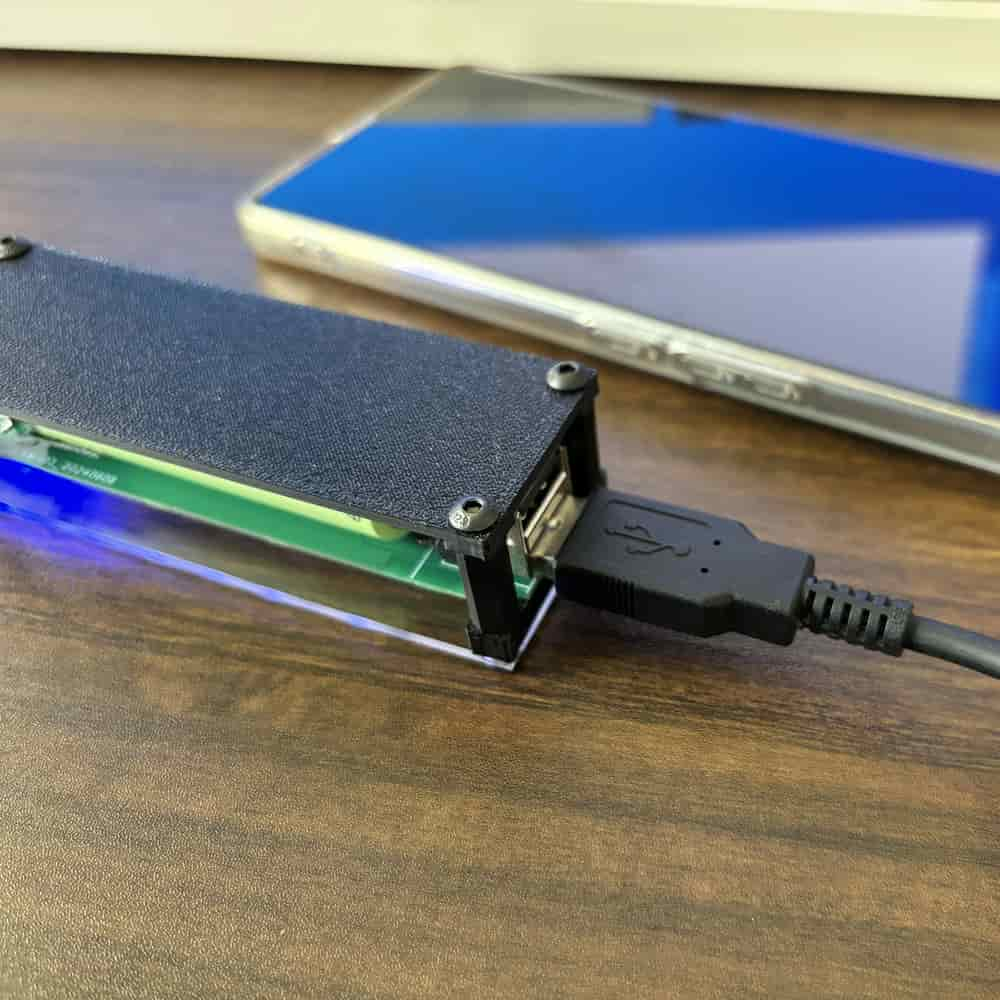
This module supports two USB input ports, so you can connect a keyboard and a mouse at the same time. That makes it a more practical solution for real multi-computer workflows than single-input modules.
3. Near-instant switching in 2.4G receiver mode
In 2.4G receiver mode, WBT2-V4 supports multiple receivers for multiple computers. Since each receiver can remain connected to its target computer, switching is channel-based rather than a full USB re-detection process. In real use, this can feel much faster than many traditional USB switches.
4. No software required, no LAN required
WBT2-V4 does not rely on software sharing tools, drivers on each computer, or the same local network. This makes it especially useful in environments where software installation is restricted or network-based sharing is not ideal.
5. A focused alternative to traditional USB switches or some KVM setups
If your main goal is keyboard and mouse control across multiple computers, WBT2-V4 offers a focused input-only solution. Let your monitor handle video input switching, while WBT2-V4 handles keyboard and mouse switching. This can help reduce cost, avoid unnecessary video switching features, and keep your setup simpler.
6. Cleaner desk setup
Used with wireless peripherals, WBT2-V4 can help reduce cable clutter and create a cleaner multi-computer workspace. It is a practical option for users who want a more minimalist desk setup.
Main Features
– Ready-to-use design with built-in battery
– Two USB input ports for keyboard and mouse
– Supports switching between up to 8 devices
– 2.4G receiver mode supports multi-receiver, multi-computer workflows
– Bluetooth supported
– No software required
– No local network required
– Shortcut key switching supported
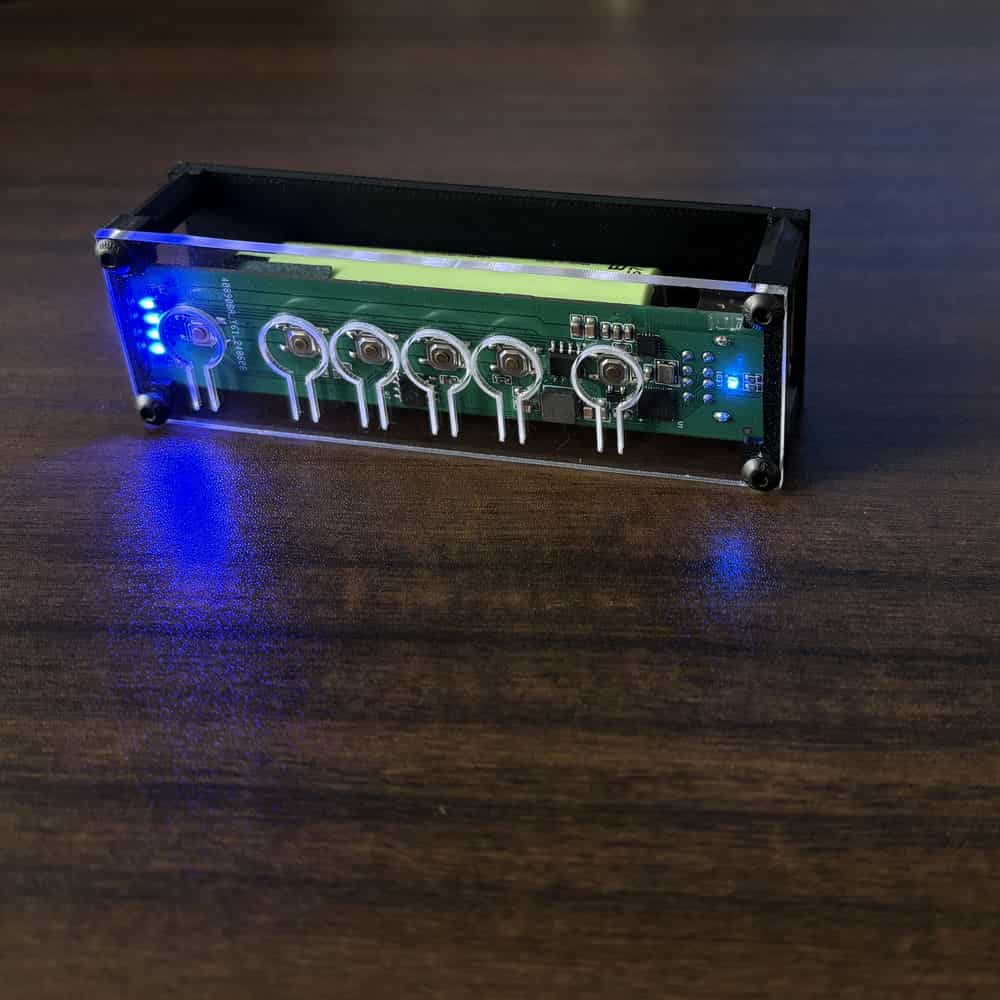
– 4 physical quick-switch buttons on the device
– Charging control circuit built in
– Battery capacity upgraded to 3400mAh
Compatibility Notes
WBT2-V4 is designed for standard USB-HID keyboards and mice, including many common custom keyboards. However, some keyboards and mice use special communication protocols, power behavior, or non-standard implementations. Because of this, compatibility cannot be guaranteed for every device.
If your keyboard or mouse uses a USB Type-C connector, please leave a note when placing the order. We can include a Type-C to USB-A adapter. If no note is provided, the adapter may not be included by default.
Cherry G80-3000 requires special firmware. Please contact us before purchase if you plan to use that model.
Switching and Control
WBT2-V4 supports shortcut key switching and physical button switching. In 2.4G receiver mode and Bluetooth mode, you can switch between up to 8 devices. This gives you a flexible and reliable way to move between computers without relying on software-based cursor sharing.
Default shortcut keys:
Ctrl + Alt + Shift + 1 to switch to device 1
Ctrl + Alt + Shift + 2 to switch to device 2
Ctrl + Alt + Shift + 3 to switch to device 3
… up to device 8
Mode switching:
Ctrl + Alt + Shift + Q = Bluetooth mode
Ctrl + Alt + Shift + E = 2.4G receiver mode
Ctrl + Alt + Shift + F1 = Factory reset (hold for 10 seconds)
Power and Stability
The built-in lithium battery provides stable power for the module and connected devices. Compared with some passive USB switches, this design is better suited for many mechanical keyboards and higher-power mice. However, actual performance still depends on the specific power requirements and protocol behavior of the connected devices.
Package Notes
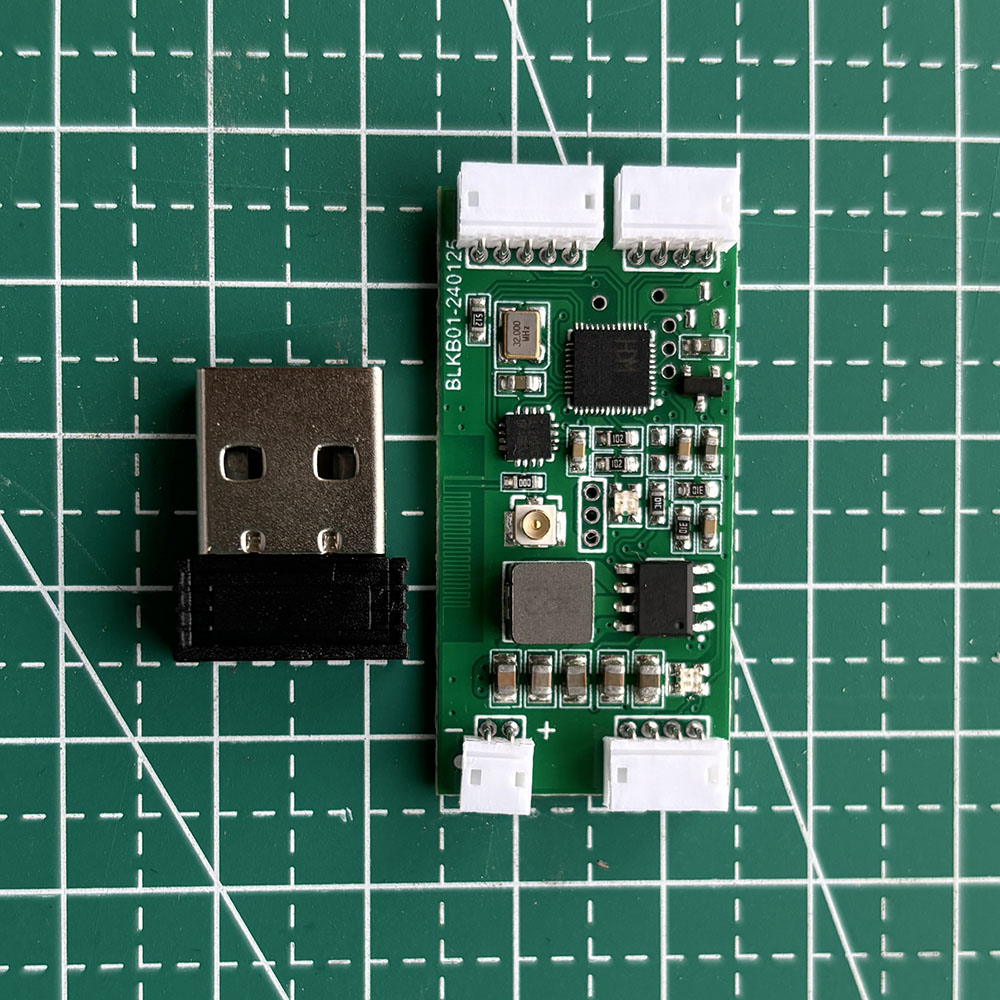
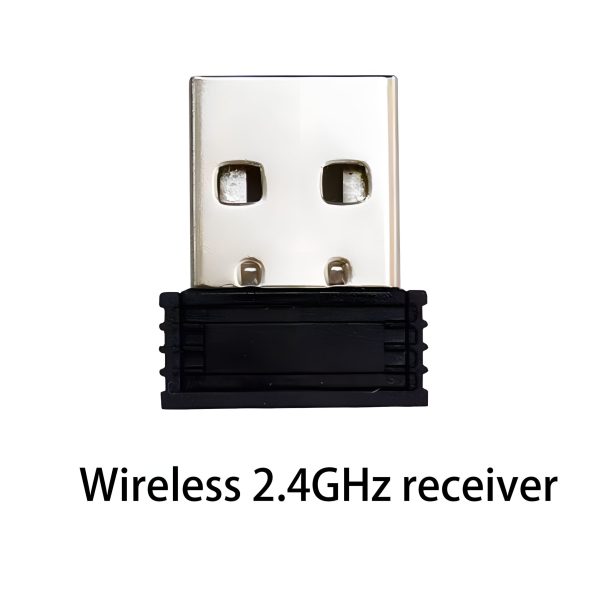
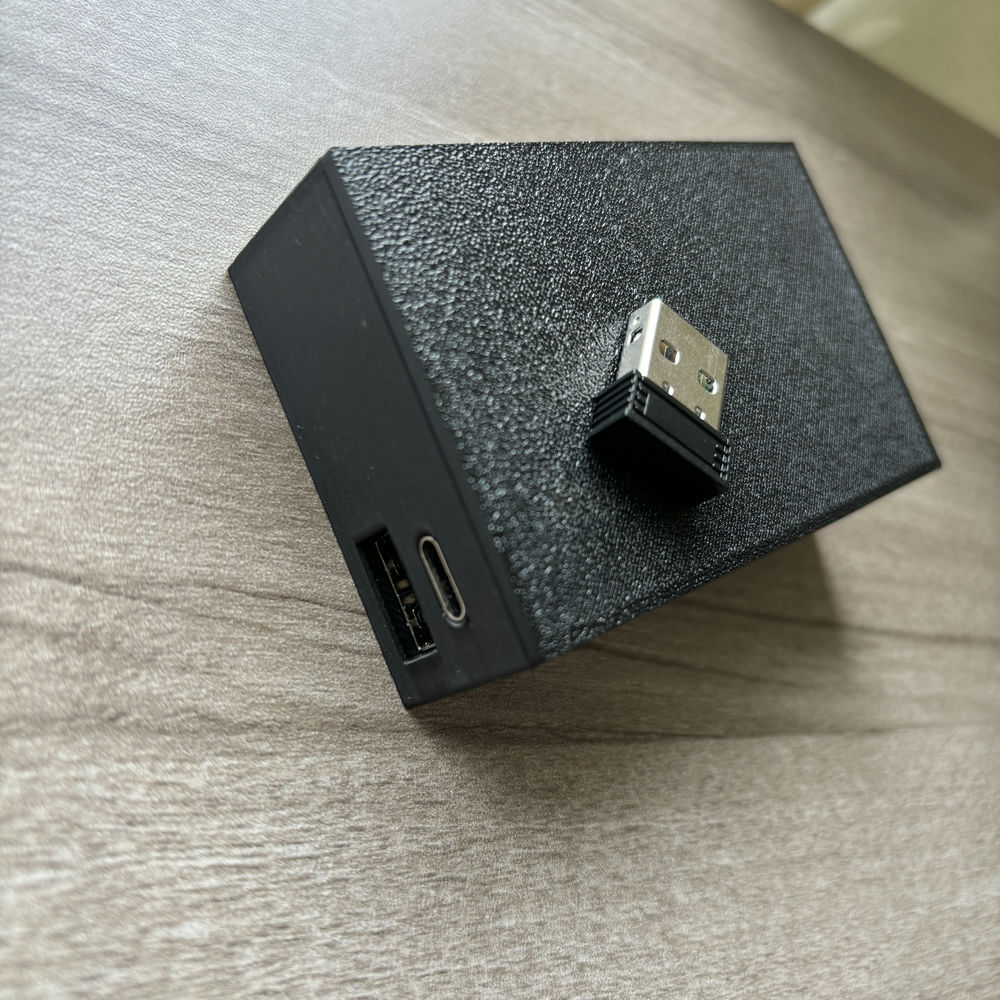
The default package includes 1 x 2.4G receiver. If you need additional receivers for more computers, please purchase extra receivers separately.
Technical Notes
WBT2-V4 supports shortcut-key switching in both Bluetooth mode and 2.4G receiver mode. Some settings can be adjusted through the Windows configuration tool, including Bluetooth name, shortcut combinations, multimedia key customization, sleep timing, receiver number, and battery display.
FAQ
Q: What is WBT2-V4 mainly used for?
A: WBT2-V4 is mainly used as a keyboard and mouse switch for multiple computers. It lets you use one keyboard and mouse across several devices without relying on software sharing tools or the same local network.
Q: Do I need to open my keyboard or modify anything inside?
A: No. WBT2-V4 is a ready-to-use product with a built-in battery. You do not need to open your keyboard, rewire anything, or install internal parts.
Q: Can I connect both a keyboard and a mouse at the same time?
A: Yes. WBT2-V4 has dual USB input ports, so it supports connecting one keyboard and one mouse at the same time.
Q: Does it require software installation?
A: No. WBT2-V4 does not require software installation for normal switching use. This is one of its key advantages over software-based keyboard and mouse sharing solutions.
Q: Does it require all computers to be on the same local network?
A: No. WBT2-V4 does not depend on LAN-based communication, so your computers do not need to be on the same network.
Q: Is switching fast?
A: In 2.4G receiver mode, switching can feel near-instant because each receiver can stay connected to its computer. This avoids the full re-detection delay that is common with many traditional USB switches. Actual experience may vary depending on the connected devices and setup.
Q: Does WBT2-V4 support video switching like a full KVM?
A: No. WBT2-V4 focuses on keyboard and mouse input switching only. It is best viewed as an input-focused alternative for users who do not need video switching built into the same device.
Q: Is it compatible with every keyboard and mouse?
A: Not necessarily. WBT2-V4 supports many standard USB-HID keyboards and mice, but some devices use special protocols or unusual power behavior. Because of that, compatibility with every keyboard or mouse cannot be guaranteed.
Q: How many computers can it switch between?
A: WBT2-V4 supports switching between up to 8 devices.
Q: Does the package include multiple 2.4G receivers?
A: The default package includes 1 receiver. If you need more receivers for more computers, please purchase additional receivers separately.
23 reviews for WBT2-V4 Keyboard and Mouse Switch for Multiple Computers
Only logged in customers who have purchased this product may leave a review.
zane_hq (verified owner) –
If you’ve got a desktop+laptop setup and you’re still manually swapping USB cables, stop and buy this. Seriously. I’ve been using it for 3 weeks and it’s completely eliminated the most annoying part of my daily workflow. Wake up, sit down, press button, start typing. The 2.4G switching is so fast I sometimes forget which computer I’m controlling. Battery life is excellent – about 10 days with a Leopold keyboard and Zowie mouse.
Sawyer Turner (verified owner) –
Latency is everything in my line of work. I can’t have my keyboard or mouse lagging when I’m in Ableton or Pro Tools. The WBT2-V4 in 2.4G mode has no perceptible delay at all. I also appreciate that it doesn’t require any software or drivers that could conflict with audio interfaces. Hardware solution all the way. Battery easily lasts through a full weekend of sessions.
Nash F. (verified owner) –
I run heavy simulation software on a desktop while doing lighter work on a laptop. This module bridges both seamlessly. I was worried about latency for precision mouse work in CAD but the 2.4G mode is completely lag-free. The hardware buttons are really satisfying with a nice tactile click. Dual device support means both my keyboard and SpaceMouse work through it. Battery life is impressive at about 10-12 days. Genuinely one of my best purchases.
quinn_io (verified owner) –
Works well for what it is. Sharing my Corsair keyboard and Logitech mouse between a desktop and laptop. The switching is fast, battery life is decent (about a week), and setup was painless. My one wish is that the module was a bit smaller – it’s not huge but not something you’d want visible. I hid it behind my monitor so it works out. For $50 it’s hard to complain too much.
zeke_io (verified owner) –
Picked this up for my home office. Sharing a custom mechanical keyboard between my PC and work laptop. The 2.4G receiver provides a rock-solid connection with no drops. Bluetooth is stable too though slightly slower to reconnect after waking from sleep. The module is about the size of a deck of cards so it’s easy to hide behind a monitor. Knocked off a star because the USB ports are a bit tight. Otherwise great value.
dustin42 (verified owner) –
Good product, works as advertised. Using it with a Razer BlackWidow and a Steelseries mouse between my desktop and a work Surface. The 2.4G mode has no discernible latency which is crucial. Bluetooth mode has the typical slight delay but that’s a Bluetooth limitation not a product issue. Took off one star because the module could use better documentation – had to Google for the factory reset shortcut when I messed up the pairing.
Scott (verified owner) –
Running Rhino and AutoCAD on a desktop while doing lighter work on a laptop. The back-and-forth was killing my workflow until I got this. Now I just tap the hardware button and my keyboard and mouse instantly switch between machines. The 2.4G connection is rock solid and has better range than I expected – works fine even when I lean back across the room. No dropped connections or interference. Perfect bridge between heavy workstation and light laptop.
Leo Todd (verified owner) –
This is hands down the cleanest solution I’ve found for multi-PC setups. No software KVM jank, no USB switcher that takes forever to reconnect, just a well-engineered piece of hardware that does exactly what you need. Connected my Varmilo keyboard and a wireless trackball to both my desktop and laptop. Switching via 2.4G receiver is instant. Battery charges via USB-C. Highly recommend.
Jude (verified owner) –
I was constantly unplugging and replugging my keyboard between desktop and laptop. Finally got smart and bought this. What a difference. The WBT2-V4 handles everything I throw at it – my Leopold FC660C with Topre switches works perfectly, and my G Pro wireless mouse pairs through it without issues. The 2.4G mode is indistinguishable from wired in terms of latency. Battery lasts about a week and charges via USB-C.
Brett D. (verified owner) –
Absolutely perfect for my small desk setup. Space is tight and I hate having two keyboards. This module lets me use one high-quality mechanical keyboard for both my desktop and laptop. The installation was straightforward – plug the keyboard and mouse USB cables into the module, connect the battery, pair the dongle to the desktop, pair Bluetooth to the laptop. The hardware switching buttons are tactile and instantly responsive. Two months in, zero regrets.
Heath Booth (verified owner) –
This thing is one of the best purchases I’ve made all year. Running Linux on my desktop and macOS on my laptop. The module just works as a transparent HID bridge – neither OS knows it exists, which is perfect. No drivers, no configuration utilities needed. I bought two extra 2.4G receivers and now switch between 4 machines with Ctrl+Alt+Shift+[1-4]. The switching is instant. Essential gear for anyone running multiple computers.
chris_hq (verified owner) –
Bought this because I was sick of my desk looking like a cable factory. Setup was super simple – plug keyboard and mouse into the box, connect the battery, pair the dongle. That’s literally it. Now I can use the same keyboard for my desktop (2.4G) and my iPad (Bluetooth). The switching is fast enough that I never think about it. Battery life is impressive – I charge it maybe once every 10 days. Simple, effective, affordable.
Ben Ellis (verified owner) –
Perfect solution for my dual-computer life at home. Desktop PC for gaming and heavy work, MacBook for everyday tasks. Used to have two keyboards taking up my entire desk. Now just one clean setup. The WBT2-V4 with its dual USB-A ports handles both keyboard and mouse simultaneously. Switching via the hardware button is essentially instant. No software, no drivers, just works. Best value tech purchase in a long time.
Carlos Knox (verified owner) –
I’ve tried basically every software KVM solution (Synergy, Barrier, Input Director) and they all have issues – lag spikes, clipboard bugs, random disconnects when the network hiccups. This hardware approach is infinitely better. Plugged my keyboard and mouse into the module, paired the 2.4G receiver to my Linux desktop and Bluetooth to my MacBook, done. Switching takes half a second on 2.4G. No software to maintain, no network dependencies. Exactly what I needed.
tyler_io (verified owner) –
Picked this up after my software KM switch kept glitching. Hardware solution beats software every time. Works great with my Ducky keyboard and G502 mouse. The 2.4G receiver provides basically zero-latency input which is critical for FPS games. Bluetooth to the laptop for browsing and media. Only minor issue is the USB ports are oriented in a way that makes cable management a bit awkward if you’re trying to hide the module. Still worth it.
Trent H. (verified owner) –
Decent module for the price. Using it with a WASD keyboard and Zowie mouse. Works well in both 2.4G and Bluetooth modes. The hardware buttons for switching are perfectly placed and easy to reach. Battery life is good, about a week with both peripherals connected. My main complaint is the lack of any kind of battery level indicator – would be nice to know before it suddenly dies mid-game. Other than that, solid purchase.
jasper_dev (verified owner) –
This module converts any wired keyboard to wireless AND lets you share it across computers. Way better than buying an overpriced wireless keyboard. Using it with my trusty Das Keyboard that I’ve had for years. The 2.4G receiver range easily covers my entire home office. Battery lasts about a week with heavy typing. Crucial piece of my desk setup.
Aaron Kim (verified owner) –
I tinker with electronics on the side. The build quality of this module is surprisingly decent for the price point. The soldering is clean, the chipset choice (TI CC2540) is established and reliable, and the power management circuit is properly implemented. Using it with my custom-built 65% keyboard and a wireless trackball. The HID passthrough is flawless – my custom keymap works perfectly through it. New favorite piece of desktop gear.
garrett42 (verified owner) –
Got this because my desk is small and having two keyboards wasn’t an option. It does exactly what it claims – keyboard+mouse sharing between desktop and laptop. The hardware button for switching is a nice touch vs remembering keyboard shortcuts. Battery life is adequate though I do wish it had a charge indicator. Had one weird issue where my keyboard RGB flickered but a firmware reset fixed it. Overall a solid purchase.
Garrett S. (verified owner) –
Dual-boot desktop and a work laptop. This module handles switching between all three seamlessly with 2.4G multi-pairing. The fact that it converts my wired keyboard and mouse to wireless is a bonus I didn’t fully appreciate until I saw how clean my desk looked. Latency on 2.4G is genuinely unnoticeable. Have recommended this to everyone I know with multiple computers.
Reed (verified owner) –
Finding a KVM solution under $100 that actually works feels like winning the lottery. This module is genuinely impressive. Setup took maybe 15 minutes including zip-tying cables neatly. Switches between my desktop and laptop with zero fuss. The 2.4G connection is more stable than my usual WiFi. I’ve been recommending this to everyone I know with multiple computers. If this had a name brand on it they’d charge $200.
Zeke Klein (verified owner) –
My home office is basically a tech den at this point. Desktop for gaming, Raspberry Pi running Home Assistant, and my old laptop as a media server. This module lets me control all three with one keyboard and mouse. The V4’s dual USB ports are key because I need both keyboard and mouse. Battery lasts surprisingly long – about 12 days. The 2.4G dongle range is solid through walls. If you have a multi-machine setup, this is a no-brainer.
Ross (verified owner) –
Best 50 bucks I’ve spent on desk gear all year. I bounce between a Windows desktop for gaming and a MacBook for work at least 10 times a day. Before this, I was physically moving my keyboard USB cable back and forth which was slowly destroying the port. Now I press a button and everything switches. The dual USB-A support on the V4 means I can have my keyboard AND mouse connected. Zero issues after a month.