If you work with two or more computers at the same desk, you already know how messy things can get.
One keyboard for the desktop. Another for the laptop. Maybe a separate mouse for each machine. Before long, your desk is full of devices you do not actually want there.
At some point, most people start looking for a simpler setup: one keyboard, one mouse, and an easy way to switch between computers.
There are plenty of ways to do that, at least in theory. Some people try software. Some buy a basic USB switch. Others go straight to a full KVM. The problem is that none of those options feels ideal for everyone.
Software can be unreliable or impossible to install on work machines. Basic USB switches often feel slower than expected. And full KVM setups can be overkill if all you want to switch is your keyboard and mouse.
That is exactly why more people are looking for a cleaner, more focused solution.
Why software is not always the answer
Software-based keyboard and mouse sharing sounds convenient at first. You install an app on each computer, connect them through the network, and move between them that way.
For some users, that works fine. But in real-world setups, software often becomes the first problem rather than the solution.
Work devices may block installation. Company networks may be restricted. Some systems are not on the same LAN. Firewalls get in the way. Even when everything is technically supported, it can still feel like one more thing that needs maintenance.
A lot of people are not looking for another app to manage. They just want their keyboard and mouse to work.
The problem with many USB switches
A USB switch for keyboard and mouse seems like the obvious hardware fix. Plug your devices in, press a button, and switch between computers.
Simple enough — until you actually use one every day.
Many traditional USB switches behave like a physical unplug and replug. When you switch, the computer sees the keyboard and mouse disappear, then reconnect a moment later. That means the system has to recognize them again before you can keep working.
On paper, a few seconds may not sound like much. In practice, when you switch constantly throughout the day, that delay becomes irritating fast.
There is also the power issue. Not every switch handles more demanding devices well. Mechanical keyboards, RGB boards, and performance mice are not always happy on low-power passive hardware. Random disconnects or unstable detection are more common than people expect.
Why a full KVM is often more than you need
A lot of people end up looking at a KVM switch keyboard and mouse setup because it seems like the “professional” option.
But a traditional KVM is really built around more than input. It usually adds video switching too, and that is where things start to feel unnecessary for many desk setups.
If your monitor already has multiple input ports, you may not need a device to manage video at all. You can switch display input on the monitor itself and keep the keyboard and mouse side separate.
Once you look at it that way, a full KVM can start to feel bulky, expensive, and overly complicated for a problem that is really just about input switching.
That is why an input-only approach makes so much sense.
A simpler way to switch between computers
For a lot of people, the real goal is not to build a giant multi-function desk hub.
It is just this:
- use one keyboard and mouse with multiple computers
- switch quickly
- avoid software
- keep the desk clean
- do not pay for features you do not need
That is where WBT2-V4 fits in.
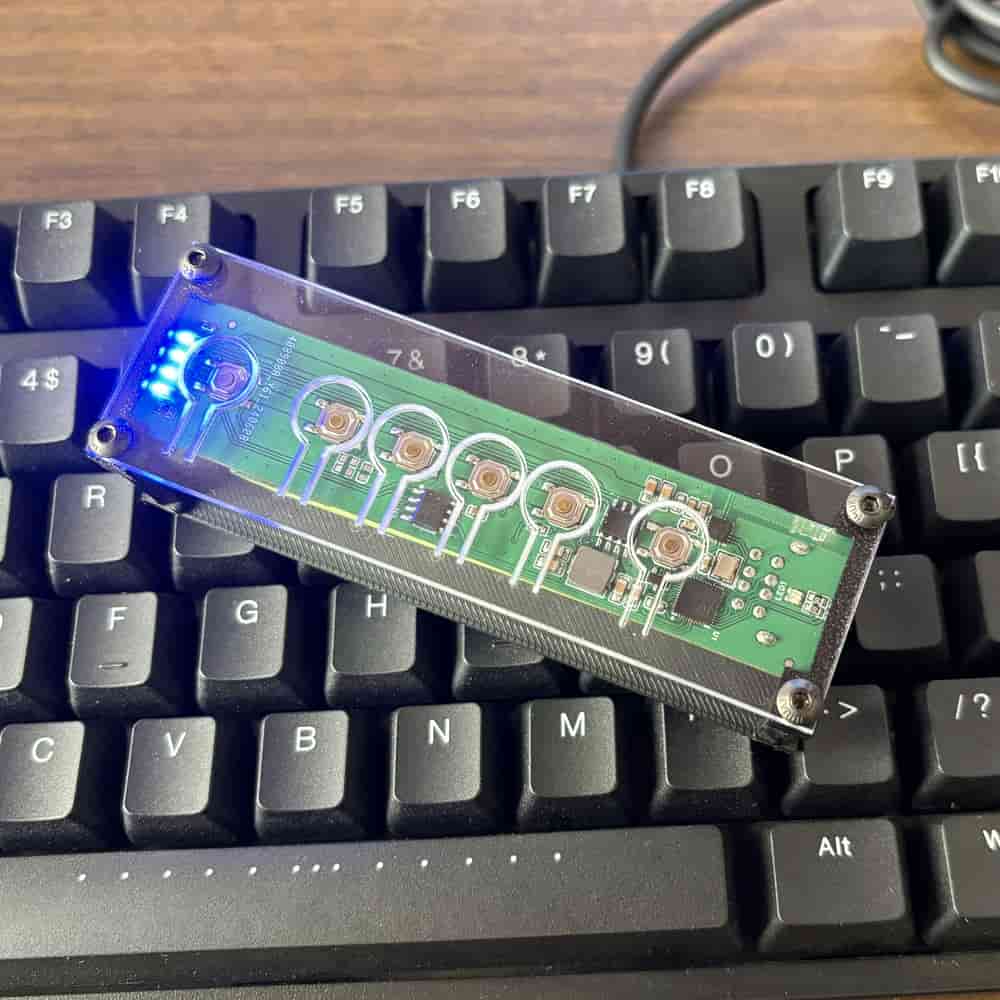
WBT2-V4 is designed as a ready-to-use keyboard and mouse switch. It does not ask you to modify your devices, open up your keyboard, or install software on every computer. You just connect your keyboard and mouse and use it as intended.
That matters, because convenience is not just about what a product can do. It is about how much friction it removes from everyday use.
What makes WBT2-V4 different
One of the biggest differences is that WBT2-V4 supports both keyboard and mouse at the same time.
That sounds obvious, but it is important. If you want a proper multi-computer input setup, you do not want to compromise on basic usability.
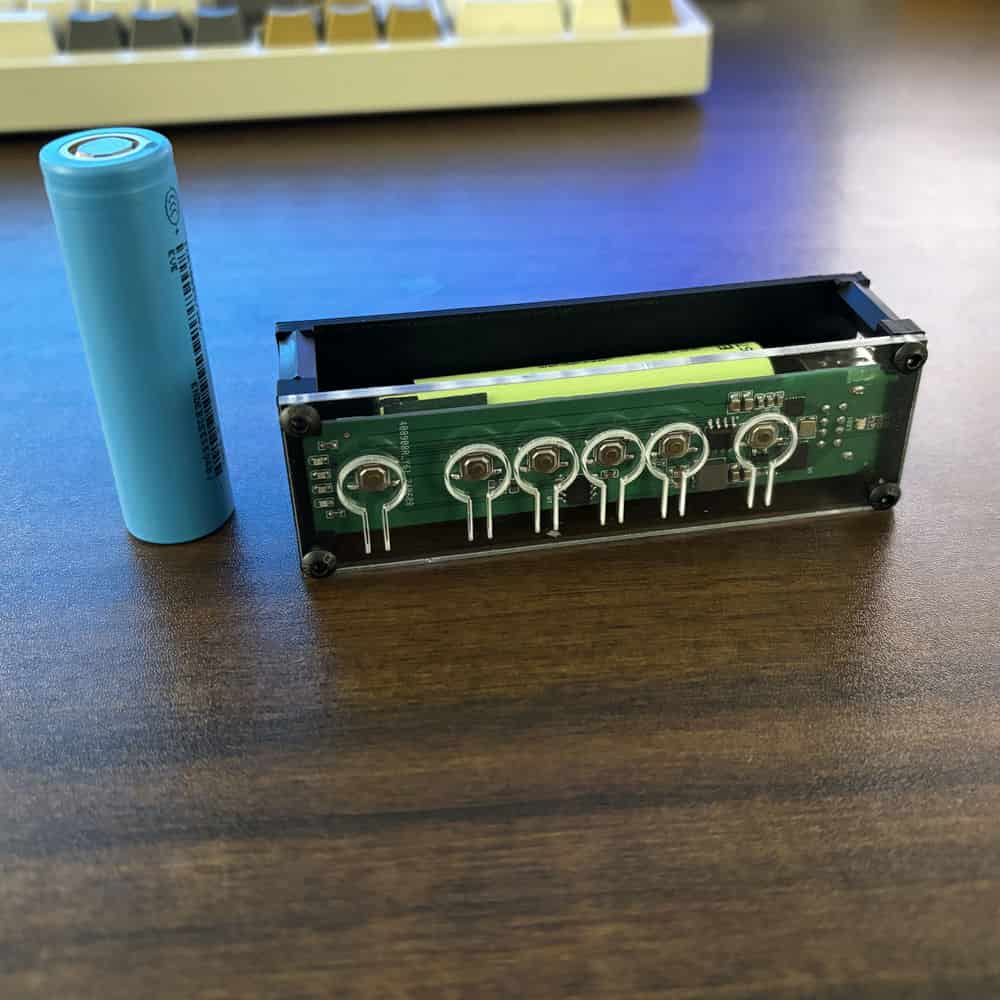
WBT2-V4 also comes as a finished product with a built-in battery, so there is no DIY work involved. No disassembly. No wiring. No internal modification. It is made for users who want the function without the project.
It supports wireless and Bluetooth modes, which also helps reduce cable clutter on the desk. For anyone trying to keep a setup clean and minimal, that makes a noticeable difference.
Why switching feels faster
One of the most frustrating things about traditional switchers is the wait after every change.
With WBT2-V4, the experience is different, especially in 2.4GHz receiver mode.
Instead of acting like a constant unplug-and-reconnect cycle, the switching process can avoid the usual re-detection delay that slows down many standard USB switch products. In real use, that means switching feels much more immediate and much less disruptive.
If you move between a work laptop and a personal desktop all day, that difference is not small. It is the kind of thing you notice every single time.
It also solves a desk problem, not just a switching problem
A lot of people think they are shopping for a switch, but what they are really trying to fix is their workspace.
Too many cables. Too many devices. Too much reaching around to reconnect things. Too much clutter for a setup that should feel simple.
WBT2-V4 works well for people who want a cleaner desk because it focuses on the part that actually needs to be shared: keyboard and mouse input.
You can leave video to your monitor. Keep the input side separate. Reduce the number of cables on the desk. End up with something that feels lighter and easier to live with every day.
No software, no network dependency
This is another reason hardware still matters.
WBT2-V4 does not depend on software running in the background, and it does not require all of your computers to sit on the same network just to share input devices.
That makes it more practical in places where software-based tools are inconvenient or simply not allowed. It is also just easier. There is nothing extra to maintain, no network setup to troubleshoot, and no app permissions to worry about.
For many users, that simplicity is the whole point.
Who this kind of setup is best for
WBT2-V4 makes the most sense for people who want a ready-to-use way to share one keyboard and mouse between multiple computers.
It is especially useful if:
- you switch often during the day
- you want both keyboard and mouse connected together
- you do not want to install software
- you prefer a cleaner, more minimal desk setup
- you do not need video switching hardware built into the same device
In other words, it is a strong fit for people who want something practical rather than complicated.
Final thoughts
There are many ways to use one keyboard and mouse on multiple computers, but the best option depends on what you are actually trying to avoid.
If you do not want software, do not want extra clutter, and do not want to pay for video switching you may never use, then a focused hardware solution makes a lot of sense.
That is the appeal of WBT2-V4.
It is not trying to be everything. It is simply built to make keyboard and mouse switching easier, cleaner, and less disruptive in everyday use.
For a lot of desks, that is exactly what is needed.
FAQ
Can I use one keyboard and mouse on multiple computers without software?
Yes. A hardware-based keyboard and mouse switch lets you move between computers without installing sharing software on each device.
Is a USB switch the same as a KVM switch?
Not exactly. A USB switch usually handles only USB peripherals like a keyboard and mouse, while a KVM also includes video switching. If you only need input switching, a full KVM may be more than necessary.
Why do some USB switches feel slow?
Many traditional USB switches disconnect and reconnect the devices during switching. That forces the computer to recognize them again, which can cause a delay.
Does WBT2-V4 require all computers to be on the same network?
No. It does not rely on a shared LAN or background software.
Can WBT2-V4 connect both keyboard and mouse at the same time?
Yes. It supports both together, which makes it a more practical option for multi-computer setups.
CTA
Looking for a simpler way to use one keyboard and mouse across multiple computers?
Check out WBT2-V4 and see whether it fits your setup.